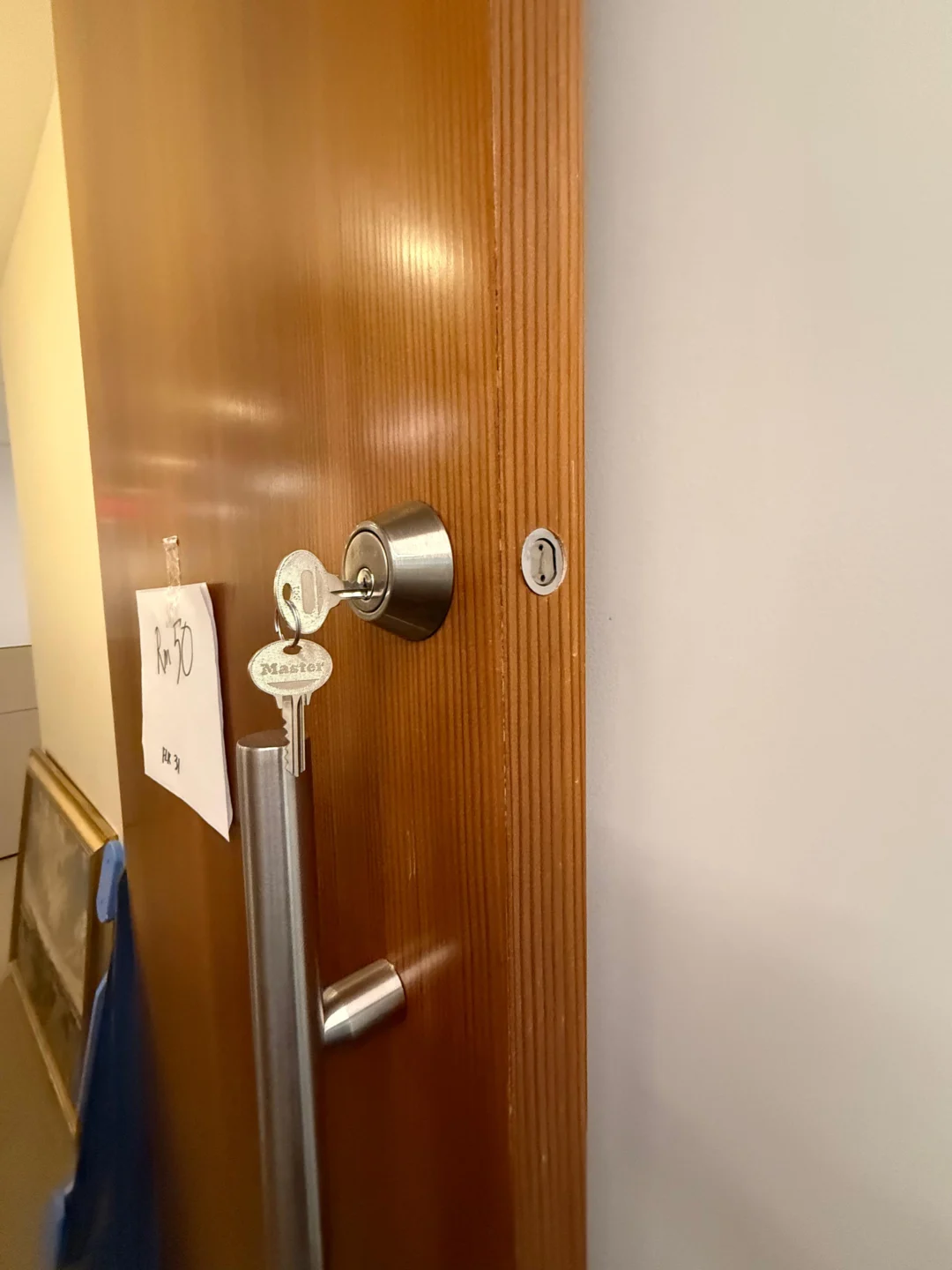
A completely dead smart-lock battery can make the keypad go dark, stop app commands, disable fingerprint or code entry, and make the lock look as though the entire electronic system has failed. But a dead battery does not automatically mean the lock itself is broken.
The correct recovery method depends on the exact model. Some smart locks retain a mechanical key cylinder. Some key-free Yale and Kwikset products have exterior contacts for temporary 9-volt power. Some newer locks use an exterior USB-C emergency-power port. Other models, including Schlage Encode, do not have an external battery-jump feature and depend on the mechanical backup key when their internal batteries are completely depleted.
That distinction matters because one of the worst pieces of generic smart-lock advice is: “Just connect a 9V battery to it.” That only works on locks designed with external 9V terminals. The better process is to identify the model, use its intended emergency-access method, get inside without damaging the hardware, replace the internal batteries correctly, and then determine why the batteries went dead in the first place. Rainbow Locksmith NY also has a dedicated guide to changing batteries in Schlage locks for model-specific Schlage battery replacement, while its smart lock installation and setup service covers smart-lock configuration and troubleshooting in NYC.
Identify the smart-lock model first because emergency access differs by manufacturer. If the lock has a mechanical backup key, use it to enter and replace the internal batteries. Compatible key-free Yale and certain Kwikset locks can use a 9V battery on exterior emergency contacts for temporary power, while some newer locks use USB-C emergency power. Schlage Encode does not support a 9V jump-start and relies on its backup key. Once inside, replace the entire battery set with the manufacturer-specified type and test the lock with the door open before closing it.
First: is the smart lock actually dead?
A dark keypad strongly suggests a power problem, but confirm the symptom before treating the lock as completely discharged. A critically low lock may respond slowly, flash warning lights, beep, or delay before operating. A completely depleted electronic lock may provide no keypad response at all. Schlage’s current troubleshooting documentation distinguishes these conditions: on supported Schlage smart and electronic locks, low or critically low battery states produce warning indicators, while completely dead batteries can leave the keypad unresponsive and prevent electronic operation.
If the keypad lights up normally but your code is rejected, you may have an access-code problem rather than a battery problem. If the motor runs but the bolt does not retract, you may have a mechanical alignment or smart-lock motor problem. If there is no light, no sound, no motor, and no app response, battery power becomes the logical first place to look.
Dead smart lock battery recovery: match the backup method to the lock
Different smart locks are designed with different emergency-entry strategies.
| Smart-lock example | Dead-battery recovery |
|---|---|
| Schlage Encode series | Mechanical backup key; no 9V jump-start |
| Schlage Touch series | Supported models can use 9V jump-start |
| Schlage Sense Pro | USB-C temporary emergency power |
| Yale key-free compatible models | 9V battery on exterior emergency contacts |
| Yale models with mechanical key | Use physical key |
| Kwikset 905 Keyless Deadbolt | External 9V temporary power |
| August retrofit smart locks | Original exterior mechanical key remains usable |
Schlage explicitly states that Encode-series locks do not have the Touch-series 9V jump-start feature. If an Encode battery dies, the mechanical key is the intended backup. Newer Sense Pro hardware, by contrast, includes a USB-C jump-start port. Yale’s current support documentation states that compatible key-free models can receive temporary power by holding a standard 9V battery against the exterior terminals; Yale also distinguishes these key-free models from keyed versions, where the physical mechanical key should be used instead. Kwikset’s 905 Keyless Deadbolt similarly supports an exterior 9V battery for temporary power when its internal AA batteries are too weak to operate the lock. So before attempting anything, identify your lock.
Option 1: use the mechanical backup key
If your smart lock has a normal key cylinder, this is usually the simplest dead-battery recovery method. The mechanical key does not depend on the keypad, Bluetooth connection, Wi-Fi network, app, or internal electronic power. Schlage specifically recommends keeping the backup key for its keyed smart and keypad locks because it provides access if the batteries die or the electronics malfunction. For Schlage Encode, the physical key is particularly important because Schlage confirms that the Encode series does not have an exterior 9V jump-start function.
August retrofit smart locks work differently from full-replacement electronic deadbolts, but they provide a similar fallback. August installs over a compatible existing deadbolt on the interior side and leaves the exterior keyed cylinder intact, so the original physical key can still operate the door if the August battery dies. After entering with the key, leave the door open and replace the internal smart-lock batteries before relying on electronic access again.
What if your smart lock has a hidden keyway?
Some electronic locks conceal the mechanical cylinder behind a decorative cover. Do not pry random trim from the exterior. Check the model’s user guide or manufacturer’s support instructions to identify whether the lock includes a covered mechanical override and how that cover is intended to open. A decorative cap that looks removable may also cover an emergency-power port rather than a key cylinder. Model identification matters.
Option 2: use a 9V emergency battery – only on compatible locks
Certain keyless electronic locks have two small power contacts accessible from outside. These contacts allow a standard 9V battery to provide temporary operating power. The battery is not being installed into the lock. It is simply supplying enough external power for the keypad and lock mechanism to operate long enough to unlock the door.
For Yale’s compatible key-free models, current manufacturer instructions say to hold the 9V battery against the emergency terminals, allow the lock to power up, use the supported entry method, enter the property, and then replace the depleted internal batteries. Yale emphasizes that this emergency 9V connection is temporary power rather than a way to recharge the lock. Kwikset’s 905 works similarly: Kwikset instructs users to hold a 9V alkaline battery firmly against the exterior terminals, wait for the lock’s power indication, keep the battery in position while entering the user code, and continue holding it until the door unlocks. The important point is that the emergency battery usually must remain in contact throughout the unlocking attempt.
Do not assume all Schlage smart locks accept a 9V battery
Schlage makes several electronic-lock families with very different backup systems. Schlage Touch supports a 9V battery jump-start function on applicable models, and Schlage publishes a dedicated current support procedure for jump-starting those locks. Schlage Encode does not: its current support guidance specifically says Encode-series smart locks rely on their internal AA batteries for electronics and require use of the mechanical backup key after battery failure. Schlage Sense Pro is different again: Schlage says the current Sense Pro design includes a USB-C jump-start port for temporary backup power. So “Schlage smart lock” is not enough information to choose an emergency-power method. You need the model.
Option 3: use USB-C emergency power on a compatible smart lock
USB-C emergency power is becoming another manufacturer-supported backup method. The principle is similar to 9V emergency contacts. An exterior USB-C connection temporarily powers the lock so you can authenticate and unlock it. It does not necessarily recharge the lock’s internal battery system. Schlage says its Sense Pro includes a built-in USB-C jump-start port for temporary backup if the internal batteries run out. Tapo likewise documents external USB-C temporary power on supported smart-door-lock models and explicitly notes that the external Type-C connection provides temporary power only rather than charging the internal lock battery. Before connecting a cable or power bank, confirm that the exterior port on your exact lock is actually intended for emergency power. Do not assume every USB-C-looking opening on electronic door hardware has the same function.
Emergency power is not a battery charger
This distinction is easy to miss. External 9V contacts or USB-C emergency ports are normally intended to help you get through the door. Once inside, you still need to replace or recharge the main internal power source according to the lock manufacturer’s instructions. Yale explicitly states that its 9V emergency connection does not charge the smart lock; it provides temporary power only. Tapo makes the same distinction for supported external USB-C emergency power. Do not leave an external battery attached expecting the internal cells to recover.
What if the smart lock battery is dead and you have no key?
This depends entirely on the model. If your key-free lock includes manufacturer-supported external emergency power, use that method. If your lock normally depends on a mechanical backup key and does not support exterior emergency power, there may be no legitimate electronic shortcut once the batteries are completely dead. For example, Schlage specifically says Encode users should rely on the mechanical key when battery power is exhausted. If the key is lost and the lock has no compatible external-power recovery method, avoid drilling, prying, or forcing the lock. Rainbow Locksmith NY’s emergency home lockout service is the safer next step when an authorized occupant has no functioning backup access.
What happens to your codes when the batteries die?
In many modern electronic locks, removing the batteries briefly does not automatically erase every user code or setting, but this is still model-specific. Schlage’s current guidance says that a normal battery change should not affect programming. However, Schlage also notes that a lock left without power for an extended period may potentially reset, so depleted batteries should be replaced promptly. Kwikset’s current Halo support states that access codes are not lost when its batteries die or are removed. Kwikset also says Kevo stores its information in memory and returns to its prior state when batteries are reinstalled. That means you generally should not perform a factory reset merely because the batteries died. First restore power and test the existing programming.
Battery replacement is not the same as factory reset
These actions have very different consequences. Replacing batteries restores the lock’s power supply. A factory reset intentionally erases or restores programming. Schlage warns that factory resetting its electronic locks removes programmed codes and restores model-specific default behavior. So if your keypad is dead: replace the batteries first. Do not follow a random reset video before you even know whether the lock simply lost power.
How to replace the smart-lock batteries correctly
Once you have regained access, keep the door open during battery replacement and the first test. Identify the lock model before buying batteries because smart locks use different battery formats. August is a good example of why generic battery advice can be wrong: the current August Wi-Fi Smart Lock uses two CR123/CR123A lithium batteries, while the August 3rd Generation Smart Lock and earlier Smart Lock Pro/2nd Generation models use four AA batteries. August instructs users to replace the complete battery set at the same time and specifies non-rechargeable batteries for those products. Kwikset’s current Halo Touchscreen, Keypad, Touch, and Aura products use four AA batteries according to its present battery-support documentation. Do not choose batteries based only on what another smart lock in your home uses.
Replace the complete set when the manufacturer calls for it
A common mistake is replacing only the cell that appears weakest. For multi-battery smart locks, follow the manufacturer’s instructions. August explicitly requires all batteries in its supported models to be replaced together. Using a complete fresh set also makes later battery diagnosis easier because you know all installed cells began service at roughly the same time.
Watch the battery polarity
One reversed battery can leave an otherwise healthy lock completely unresponsive. Follow the polarity markings in the battery tray rather than assuming every cell faces the same direction. August’s current support instructions, for example, specify exact polarity orientation for each generation of its lock. If fresh batteries produce no lights or sounds, polarity is one of the first things to recheck.
Be careful with battery wires and connectors
Some smart and electronic locks use a wired battery connector rather than a removable battery tray. Do not yank the battery connector when changing cells. Schlage warns that its keypad and smart locks use wire connections to the battery source and states that if the relevant wire breaks during replacement, the wire itself is not replaceable and the lock may require replacement. Support the connector, disconnect it in the intended direction, and make sure wires are not pinched when the interior cover is reinstalled.
After installing fresh batteries, test with the door open
Do not replace the batteries and immediately close the door. With the door still open, test the lock through its normal methods. Confirm that the keypad wakes up, the motor runs, the deadbolt fully extends and retracts, the app reconnects where applicable, and the mechanical key or thumb turn still operates. August specifically instructs users to operate supported August locks three times through the app after replacing the batteries, helping the lock update its battery status properly. Once the open-door test is successful, close the door and test again.
Fresh batteries installed, but the smart lock is still dead
Do not immediately assume the electronics have failed. Check whether the batteries are the correct type and orientation and whether the tray or connector is seated properly. On August Wi-Fi Smart Locks, August recommends re-seating the batteries when the lock appears to have prematurely lost power; correctly seated batteries cause a specific green-light confirmation sequence on that model. For Schlage, an unresponsive keypad can also result from a disconnected battery tray or internal cable on applicable models. If those basic power checks fail, the problem may no longer be simply dead batteries.
Smart lock works after new batteries but still says “low battery”
Give the lock a chance to update its battery reading according to the manufacturer. August specifically instructs users to operate the lock three times in the app after a battery replacement so false low-battery notifications stop until the next legitimate low-battery state. If the warning persists, remove and re-seat the batteries, confirm the specified battery type, and check the manufacturer’s troubleshooting guidance. Do not immediately factory-reset the lock.
Why did the smart-lock batteries die so fast?
A battery that lasted many months and eventually depleted normally is one thing. A lock that kills fresh batteries every few weeks deserves diagnosis. Electronic lock battery drain can be caused by more than the electronics themselves. August states that battery life on its Wi-Fi Smart Lock varies with usage, deadbolt friction, Wi-Fi signal strength, and router settings. Kwikset similarly documents rapid SmartCode battery drain caused by smart-home communication behavior, including controller ping frequency. That means the next question after replacing dead batteries should sometimes be: why was the lock using so much power?
Mechanical binding can drain smart-lock batteries
A smart-lock motor has to physically move the deadbolt. If the bolt rubs against the strike every time the door locks, the motor works harder during each cycle. This can show up as both operational jams and reduced battery life. August specifically identifies deadbolt friction as a factor affecting battery life. After replacing the batteries, test the lock with the door open. If the smart lock sounds much smoother open than closed, check:
- Door sag
- Hinge condition
- Strike alignment
- Bolt-pocket clearance
- Weatherstripping pressure
The batteries may be the symptom, while the door is the cause.
Weak Wi-Fi can increase battery use
Locks with built-in Wi-Fi need to maintain a network connection. August states that Wi-Fi signal strength and router settings can affect battery life on its Wi-Fi Smart Lock. If the lock is far from the router or positioned near a metal apartment door that weakens wireless coverage, repeated connection activity can contribute to increased power consumption. Before assuming the battery or lock is defective, evaluate the network signal at the door. Our comparison of the August Smart Lock 3rd Gen vs. 4th Gen also discusses how the generations differ in battery format and Wi-Fi architecture.
A power outage is not the same as a dead smart-lock battery
This is another commonly confused issue. Most residential smart locks run primarily on internal batteries rather than household electricity. Schlage states that its electronic and smart locks continue to operate from their batteries during a building power outage. However, network-dependent features can become unavailable if the home’s Wi-Fi or internet equipment loses power. So if the building loses electricity and your keypad still works, that is normal for a battery-powered lock. If remote app access stops but local keypad access remains available, the outage may have affected your router rather than the smart lock.
Low-battery warnings should be treated as maintenance alerts
The easiest dead-battery lockout to solve is the one that never happens. Modern smart locks generally provide model-specific low-battery warnings before the cells become completely exhausted. Schlage’s current keypad guidance describes red-light warnings at low and critically low battery levels on supported models. Kwikset’s current Halo documentation likewise describes progressive visual, audible, and app warnings as battery level falls. August sends app and email notifications when supported August Wi-Fi Smart Locks reach their low-battery threshold. Do not dismiss these alerts until “next weekend.” Change the batteries while the door is still operating normally.
Keep the backup method outside the locked home
Spare batteries stored inside the apartment do not help much if the battery dies while you are standing in the hallway. A better emergency plan is to know your particular lock’s backup method before you need it. For a keyed smart lock, that means keeping the mechanical key accessible somewhere secure; Schlage explicitly recommends retaining the backup key for battery and electronic failures. For a key-free Yale or compatible Kwikset model that uses external 9V emergency power, knowing that you need a standard 9V battery can prevent an unnecessary lockout call. For a USB-C emergency-power model, know what cable and portable power source the manufacturer supports.
Do not hide a backup key in an obvious location
Having a mechanical backup is useful, but it still needs to be handled like a real key. Avoid leaving it under the doormat, on the top edge of the door frame, or in another predictable location. A trusted person or another appropriately secure access arrangement is preferable. The goal is emergency redundancy without weakening the physical security of the entrance.
Model-specific dead-battery recovery
Dead battery on an August retrofit lock
August is slightly different because it does not normally replace the exterior keyed cylinder. The smart-lock motor mounts on the interior side of a compatible existing single-cylinder deadbolt. August confirms that the original exterior key continues working after installation and specifically lists battery failure as one of the situations where that physical key remains useful. Once inside, match the battery type to the August generation. Current official guidance specifies two CR123/CR123A lithium batteries for the August Wi-Fi Smart Lock and four AA batteries for several older August generations.
Dead battery on a Schlage Encode
If a Schlage Encode has completely dead batteries, the keypad and smart features no longer have the power needed for normal electronic operation. Schlage confirms that Encode-series locks do not support the Touch-series 9V jump-start method. The intended emergency backup is the physical mechanical key. Once inside, replace the internal batteries according to the Encode model’s current instructions. Do not touch a 9V battery to random metal areas on the exterior hoping to create a power connection.
Dead battery on a Schlage Touch
Schlage Touch hardware follows a different emergency process. Schlage publishes a dedicated procedure that includes using a 9V battery to jump-start supported Touch locks when their internal power has been exhausted. This is exactly why model identification should come before generic smart-lock advice.
Dead battery on a Schlage Sense Pro
Schlage’s newer Sense Pro uses another recovery method. The manufacturer states that Sense Pro includes a built-in USB-C jump-start port for temporary emergency power if the internal AA batteries run out. Temporary USB-C power is therefore valid advice for Sense Pro, but not automatically for every Schlage lock ever made.
Dead battery on a Yale key-free smart lock
For compatible Yale key-free models, Yale says a standard 9V battery can be held against the emergency terminals on the exterior to temporarily restore power. Once the lock wakes, use the supported PIN, app, fingerprint, or other credential available on the model, unlock the door, then replace the internal batteries. On Yale models equipped with a mechanical key cylinder, Yale says the physical key is the backup instead of the key-free 9V method.
Dead battery on a Kwikset 905
Kwikset’s current instructions for the 905 Keyless Deadbolt provide a clear emergency-power process. When its four AA batteries are too weak to operate the lock, Kwikset instructs the user to hold a 9V alkaline battery against the exterior power contacts. The 9V needs to remain firmly in place while the user code is entered and until the door unlocks. Once inside, replace the depleted internal batteries. Do not treat the exterior 9V battery as permanent operating power.
What if the new batteries die again within days or weeks?
That is no longer normal battery replacement. Look for a persistent cause. If the lock has a motorized deadbolt, first verify that the bolt moves smoothly by hand and with the door open. Then investigate network behavior if the lock is Wi-Fi or smart-home connected. August links battery life to deadbolt friction and wireless conditions, while Kwikset documents excessive controller communication as one cause of unusually rapid battery drain on certain SmartCode installations. Repeated battery depletion can therefore justify smart-lock troubleshooting even when each fresh battery set temporarily restores operation.
When battery replacement does not fix the lock
Fresh batteries should restore power to a healthy lock. If they do not, investigate whether the problem is actually:
- A damaged battery connector
- A broken internal wire
- Corrosion or poor battery contact
- A failed keypad
- A failed motor
- A jammed deadbolt
- Electronic control failure
Schlage states that a broken battery wire on applicable electronic and smart locks is not separately replaceable and can require replacement of the lock. If the lock powers on but cannot mechanically unlock, move back to mechanical smart-lock troubleshooting rather than continuing to replace batteries – our companion guide on smart lock troubleshooting steps covers that diagnosis in detail.
When to call a locksmith
A dead battery itself is usually straightforward when you still have the intended backup key or emergency-power method. Professional assistance becomes more useful when the lock is completely dead and you have no backup entry, the mechanical key no longer works, the deadbolt is physically jammed, internal wires are damaged, fresh manufacturer-specified batteries do not power the lock, or the lock repeatedly drains new batteries because of a mechanical installation problem. Rainbow Locksmith NY provides smart lock installation and setup, emergency locksmith service, and broader residential locksmith services in New York City.
Frequently asked questions
What happens when a smart-lock battery dies completely?
Electronic functions such as the keypad, motor, app-controlled unlocking, fingerprint reader, or wireless connectivity can stop working when internal power is exhausted. The available backup method depends on the lock. It may be a mechanical key, exterior 9V emergency contacts, or a USB-C emergency-power port.
Can I still unlock a smart lock if the battery is dead?
Usually there is a manufacturer-designed backup method, but it varies by model. Keyed Schlage Encode locks use a mechanical backup key; compatible key-free Yale and Kwikset models may use exterior 9V power; Schlage Sense Pro provides USB-C temporary emergency power.
Can I use a 9V battery on any smart lock?
No. Only use a 9V battery when the manufacturer provides exterior emergency contacts designed for it. Schlage Encode explicitly does not support the 9V jump-start feature used by Schlage Touch models.
Does emergency 9V power charge the smart lock?
No. Yale states that the external 9V battery provides temporary power only; once inside, the internal batteries should be replaced.
Can USB-C power unlock a smart lock with a dead battery?
On models specifically designed for it, yes. Schlage states that Sense Pro includes a USB-C jump-start port, while Tapo documents a similar temporary-power approach on supported locks. The port should not be assumed to exist or function the same way on unrelated models.
Will changing smart-lock batteries erase my codes?
Not necessarily. Schlage says a normal battery replacement should not affect programming, although prolonged loss of power may potentially cause a reset. Kwikset states that Halo access codes are retained when its batteries die or are removed. Check the specific model rather than factory-resetting unnecessarily.
Should I reset my smart lock after replacing dead batteries?
Usually not as the first step. Restore power and test the lock first. A factory reset intentionally changes or erases programming on many models; Schlage warns that its factory reset removes programmed codes.
Why does my smart lock still show low battery after replacement?
Check the battery type, polarity, seating, and manufacturer’s post-replacement procedure. August instructs users to operate supported locks three times through the app after installing fresh batteries so the battery status updates properly.
Why does my smart lock keep killing batteries?
Possible causes include frequent use, mechanical deadbolt friction, weak wireless conditions, or excessive smart-home communication depending on the product. August identifies deadbolt friction and Wi-Fi conditions as battery-life factors, while Kwikset documents excessive controller pinging as a battery-drain cause on some SmartCode systems.
Does a power outage make a smart lock stop working?
Not necessarily. Schlage says its residential electronic and smart locks operate on batteries and therefore continue functioning during a household power outage. However, Wi-Fi-dependent remote features may become unavailable if network equipment loses power.
What batteries does an August Wi-Fi Smart Lock use?
August currently specifies two 3V CR123 or CR123A lithium batteries for the August Wi-Fi Smart Lock. Several earlier August models use four AA batteries instead, so identify the generation before purchasing replacements.
Can I use the original key if my August battery dies?
Yes. August states that its retrofit lock leaves the exterior deadbolt and original physical key functional, including when the August battery dies.
What should I do if my Schlage Encode battery dies and I have no key?
Schlage Encode does not have a 9V jump-start feature. Schlage directs users to the mechanical backup key after complete battery failure. If that key is unavailable and you cannot access the interior battery compartment, authorized professional lockout assistance may be required.
When should I call a locksmith for a dead smart-lock battery?
Call when the intended backup access method is unavailable or fails, fresh batteries do not restore power, the mechanical deadbolt is jammed, wiring has been damaged, or the lock cannot be secured after access is restored.
Get help from Rainbow Locksmith NY
Dead smart-lock battery with no backup key in sight? Rainbow Locksmith NY handles smart-lock lockouts, battery service, and installation issues across NYC – 24/7, with the price quoted before dispatch.
Rainbow Locksmith NY | 338 E 65th St, New York, NY 10065 | Licensed and insured | NYC DCWP License. Smart lock designs vary; follow your exact manufacturer’s guidance for emergency power and battery replacement.