
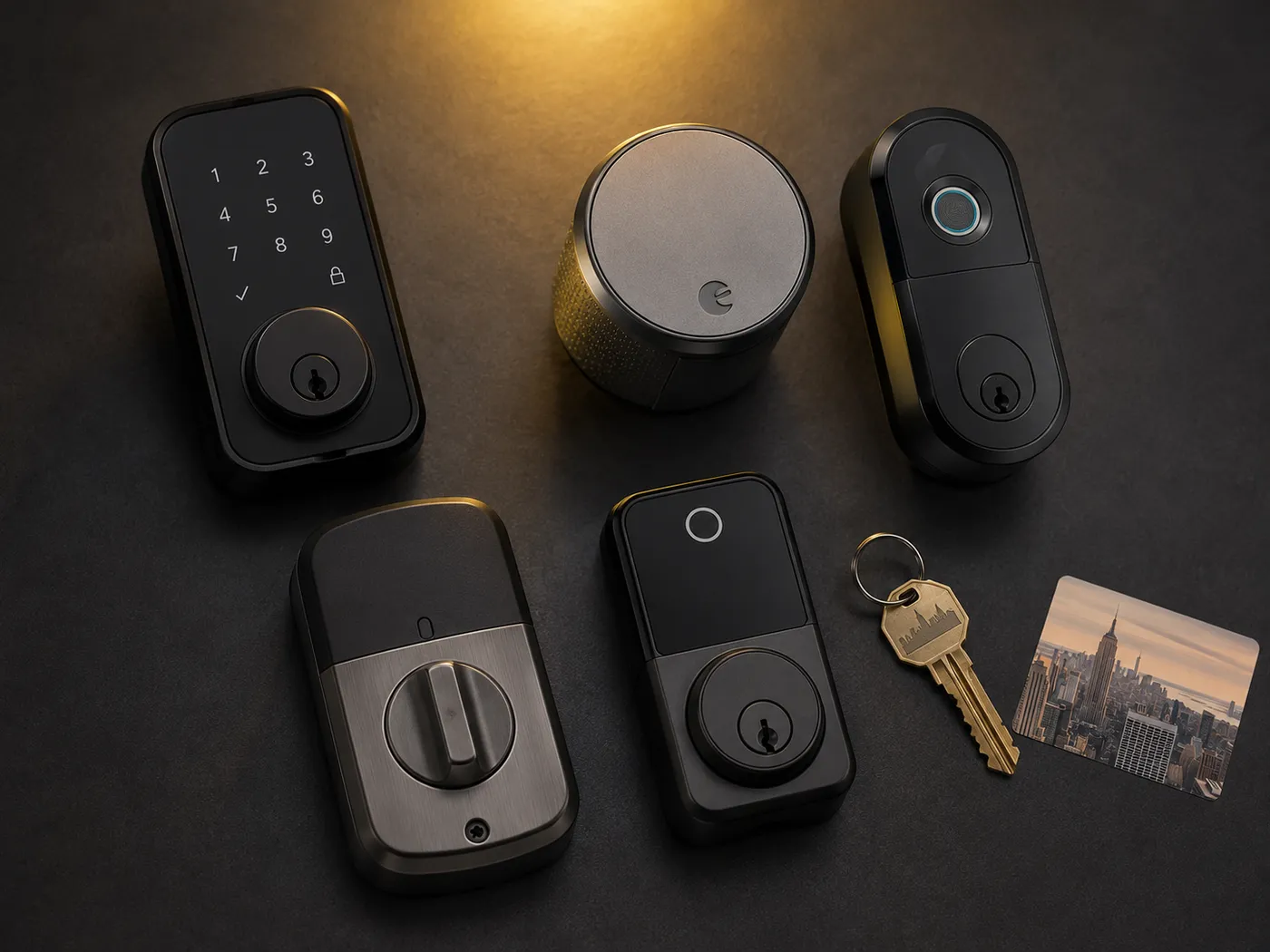
Walk down any block in Manhattan and you will see the same scene play out a dozen times before lunch. Someone digs through a tote bag at the front door, balancing coffee in one hand and a grocery delivery in the other, searching for a key that has somehow vanished into the lining. Smart locks were supposed to solve that problem — but most advice online comes from affiliate review sites that have never installed one in a real New York apartment.
We install smart locks in NYC apartments every single week. Pre-war walk-ups in the West Village, glass-towered rentals on the Upper East Side, rent-stabilized units in Yorkville, and Airbnb hosts juggling cleaning crew access in Midtown. After thousands of installs, we have a clear picture of which locks actually hold up in this city and which ones become expensive paperweights within a year.
This guide covers the smart locks we genuinely recommend to our customers in 2026. No affiliate commission. No padded copy. It also covers the ones we do not recommend, the NYC-specific rules most renters do not realize they are breaking, and the fresh 2026 releases worth waiting for.
Why NYC Apartments Need a Different Approach
A smart lock that works perfectly in a suburban single-family home in Texas may be a terrible choice for a fifth-floor walk-up in Brooklyn. New York City apartments have unique constraints that the average smart lock review completely ignores.
NYC Fire Code and the Double-Cylinder Rule
New York City fire code prohibits double-cylinder deadbolts on apartment doors used as a primary means of egress. A double-cylinder deadbolt requires a key on both sides — meaning a person inside the apartment cannot exit during a fire without finding the key first. The Multiple Dwelling Law backs this up with civil penalties for landlords who allow it. Every lock in this guide meets the single-cylinder thumb-turn requirement.
Lease Restrictions and Renter Rights
Most standard NYC residential leases include a clause requiring tenants to return the apartment in its original condition. This does not mean you cannot install a smart lock. Retrofit locks like the August Wi-Fi keep your landlord's deadbolt intact and only modify the interior thumb-turn — making them the easiest sell to landlords and the safest choice for security deposits.
Building Type Matters
A pre-war walk-up in Park Slope and a 50-story doorman building in Murray Hill are different worlds when it comes to smart lock installation. Older buildings often have non-standard door thicknesses, mortise locks instead of cylindrical deadbolts, and Wi-Fi signal issues from thick plaster walls. High-rises often have steel doors that complicate biometric sensors.
The Landlord Conversation Most Renters Skip
Even if your lease does not explicitly prohibit smart locks, having the conversation with your landlord before you install one almost always works in your favor. Most landlords appreciate the heads-up, and many will agree if you offer to provide them with an access code or keep the original lock available for management entry.
How We Picked These Smart Locks
Every lock in this guide has been installed in at least one real NYC apartment by our team, and most have been installed dozens of times. We did not pick them based on Amazon star ratings or manufacturer spec sheets.
ANSI/BHMA Grade Ratings Explained
ANSI/BHMA grades measure how much physical abuse a lock can take before it fails. Grade 1 is the highest residential grade. Grade 2 is solid for most homes. Grade 3 is the minimum acceptable for a primary entry door. For NYC apartments, we recommend Grade 1 or Grade 2 only. Many cheaper smart locks are Grade 3 or unrated — unacceptable for a city with NYC's break-in rates.
Retrofit vs. Full Replacement
A retrofit smart lock attaches to the interior side of your existing deadbolt and motorizes the thumb-turn. The exterior of the door remains unchanged and the original key still works. Retrofits are perfect for renters. Full replacements give you the keypad and fingerprint features but require landlord approval and more involved installation.
Connectivity That Works in NYC Buildings
Wi-Fi signal strength varies wildly in NYC apartments. Thick plaster walls, steel-reinforced doors, and competing Wi-Fi networks all degrade connectivity. Locks with built-in Wi-Fi are convenient but burn through batteries fast. Locks that use a separate bridge conserve battery by connecting via Bluetooth to a plug-in hub. For most NYC apartments, the bridge approach is more reliable.
The 8 Best Smart Locks for NYC in 2026
Here are our eight picks, each with a quick verdict, pros and cons, and the type of NYC renter or owner it is best suited for.
The August Wi-Fi Smart Lock 4th Gen is the lock we recommend most often to NYC renters, and it has been our top pick for three years running. It installs entirely on the interior side of your existing deadbolt, which means your landlord's key still works, the exterior of your door remains untouched, and you can remove the entire setup in five minutes when you move out. Auto-unlock as you approach the door works reliably even with full hands, and the DoorSense magnetic sensor confirms whether your door is actually closed and locked.
- Retrofits over existing deadbolt with zero exterior modification
- Landlord's key still works — original hardware untouched
- Built-in Wi-Fi, no hub required
- Auto-unlock and DoorSense most reliable in their category
- Removable in minutes at move-out
- No keypad or fingerprint — requires phone or Apple Watch
- Battery life shorter with constant Wi-Fi use
- Bulky interior profile vs. newer competitors
If you live with roommates, host friends regularly, or run a small Airbnb, the Yale Assure Lock 2 is the best choice on this list. It supports up to 250 unique PIN codes, each of which can be assigned a name, a schedule, and notification preferences. The touchscreen is bright enough to read in direct sunlight and dims for night use. Matter and Wi-Fi versions integrate cleanly with Apple Home, Google Home, Amazon Alexa, and SmartThings. The downside is that it requires full deadbolt replacement — landlord approval is essential.
- Up to 250 unique PIN codes with named users and schedules
- Touchscreen plus optional physical key backup
- Matter support for any major smart home ecosystem
- Activity log shows exactly who entered and when
- Sleek profile fits modern apartments
- Requires full deadbolt replacement — not renter-friendly without approval
- Wi-Fi module sold separately on some configurations
- Premium price point
The SwitchBot Lock Pro takes the retrofit concept further than any other lock on this list. Instead of attaching with screws, it uses heavy-duty 3M VHB adhesive to stick to your door. Installation takes about ten minutes, requires no tools, and peels off cleanly at move-out with no trace. The 2026 version added a high-torque motor that can operate even stiff or misaligned deadbolts — critical in older NYC buildings where doors have settled over decades. Pair it with the optional fingerprint keypad for full keyless access.
- Zero modification to door — attaches with adhesive only
- High-torque motor handles stubborn pre-war deadbolts
- Optional fingerprint keypad adds keyless entry
- Most affordable retrofit option with serious features
- Truly removable, leaves no residue
- Requires SwitchBot Hub for Wi-Fi features — extra cost
- Adhesive can fail on some door materials or in extreme humidity
- App design less polished than August or Yale
The Wyze Lock Bolt proves you do not need to spend $300 to get a capable smart lock. At under $100, it includes a fingerprint sensor, a keypad, and Bluetooth control. There is no Wi-Fi and no subscription, which keeps cost low and battery life long. It does require full deadbolt replacement, so it is not a fit for renters without landlord approval. But for budget-conscious homeowners and condo dwellers, the value is exceptional.
- Best price-to-feature ratio on the entire list
- Fingerprint sensor and keypad both included
- No Wi-Fi means longer battery life and smaller attack surface
- No subscription fees for any feature
- No Wi-Fi means no remote access outside Bluetooth range
- Requires full deadbolt replacement
- Limited smart home integration
- Build quality reflects the price
If you live in the Apple ecosystem, the Schlage Encode Plus is the lock to beat. It supports Apple Home Key, which lets you unlock the door by holding your iPhone or Apple Watch near the lock — no app to open, no PIN to enter, no fingerprint to scan. It is the only lock on this list with an ANSI Grade 1 rating, the highest residential security rating available. Built-in Wi-Fi means no hub is required, and the touchscreen keypad provides backup access for guests without iPhones.
- ANSI Grade 1 — the highest residential security rating
- Apple Home Key — tap to unlock with iPhone or Apple Watch
- Built-in Wi-Fi, no hub required
- Schlage warranty and US-based support
- Touchscreen keypad for guest codes
- Premium price
- Bulkier than competitors like Level
- Apple Home Key requires HomeKit hub for remote access
- Full deadbolt replacement required
The Kwikset Halo is the budget-friendly counterpart to the Schlage Encode Plus. It offers built-in Wi-Fi with no hub required, a backlit keypad, and Kwikset's signature SmartKey re-keying technology that lets you re-key the lock yourself in seconds if a key is ever lost or stolen. Build quality is a step below Schlage but solid for the price. It is widely available at every major home improvement retailer in NYC, which makes warranty service easy.
- Built-in Wi-Fi, no hub required
- SmartKey re-key in 30 seconds without a locksmith
- Affordable for the feature set
- Wide retail availability and warranty support
- ANSI Grade 2, not Grade 1
- SmartKey cylinders have known vulnerability to certain attacks
- Wi-Fi performance can be inconsistent in dense NYC buildings
- Plastic interior components reflect the price point
The Level Lock+ is the only smart lock on this list that hides its electronics entirely inside the door. From the outside, it looks like a traditional deadbolt with no keypad, no touchscreen, and no obvious sign that it is smart at all. This is appealing for two reasons in NYC. First, it preserves the look of historic doors in pre-war buildings and brownstones where exposed electronics would clash with the architecture. Second, it does not advertise to passersby that the apartment has electronics worth stealing. The lock supports Apple Home Key, NFC cards, and the Level Home app.
- Completely invisible from exterior — looks like a standard deadbolt
- Apple Home Key support
- Preserves the look of historic doors
- Premium materials and machining
- Compact interior profile
- Most expensive lock on this list
- No keypad backup for guests without phones
- Requires full deadbolt replacement
- Smaller battery — more frequent changes
The Aqara U100 is the most feature-packed smart lock you can buy under $200. It includes fingerprint recognition, a keypad, Apple Home Key support, a physical key backup, and works with Apple Home, Google Home, Amazon Alexa, and SmartThings out of the box. The gyroscope-based auto-lock detects when the door has closed and locks automatically without needing a separate door sensor. Build quality is genuinely impressive at this price point, and the fingerprint reader is faster and more reliable than locks costing twice as much.
- Fingerprint, keypad, Apple Home Key, and physical key all included
- Works with every major smart home ecosystem
- Gyroscope auto-lock without extra sensors
- Aggressive pricing for the feature set
- Local processing for biometric data — privacy-friendly
- Cylinder rekey only matches 5-pin Schlage SC1 keys
- Aqara app can be overwhelming for first-time smart home users
- Requires Aqara hub for some advanced automations
- Build feels slightly less premium than Schlage in hand
Smart Lock Comparison Table
Side-by-side comparison of all eight picks across the criteria that matter most for NYC apartment dwellers.
| Smart Lock | Price | Install | Renter Safe | Home Key | Keypad | ANSI Grade |
|---|---|---|---|---|---|---|
| August Wi-Fi 4th Gen | $180–$230 | Retrofit | Yes | ✗ | ✗ | Grade 2 |
| Yale Assure Lock 2 | $260–$300 | Full replace | With approval | ✓ Matter | Touchscreen | Grade 2 |
| SwitchBot Lock Pro | $130–$180 | Adhesive | Yes | ✗ | Optional | Not rated |
| Wyze Lock Bolt | $70–$90 | Full replace | With approval | ✗ | Yes + fingerprint | Grade 3 |
| Schlage Encode Plus | $300–$330 | Full replace | With approval | ✓ | Touchscreen | Grade 1 |
| Kwikset Halo | $180–$220 | Full replace | With approval | ✗ | Yes | Grade 2 |
| Level Lock+ | $330–$380 | Full replace | With approval | ✓ | ✗ | Grade 2 |
| Aqara Smart Lock U100 | $139–$220 | Full replace | With approval | ✓ | Yes + fingerprint | Grade 2 |
5 Smart Locks Worth Watching
CES 2026 was the biggest year for smart lock innovation in over a decade. Several products either just launched or are about to ship that could change our top picks by the end of the year.
Aqara Smart Lock U400 with UWB Hands-Free Unlock
The Aqara U400 uses Ultra-Wideband radio to detect your phone's exact position relative to the door, down to centimeter accuracy. The lock can tell whether you are approaching from the outside or just walking by inside, so it does not accidentally unlock when you are home. Apple Home Key, fingerprint, keypad, and Matter over Thread support round out the package. Currently around $270 on Amazon. This is the lock that may unseat the August as our top pick for 2026 if reliability holds up.
Eufy Smart Lock E40 with Built-In Camera
Eufy's E40 combines a smart lock with a built-in 2K camera that uses 3D facial recognition to unlock the door. AI loitering detection alerts you if someone is hanging around your door, and the camera doubles as a package detection system. ANSI Grade 2, $299 at Home Depot. The integrated approach reduces the number of devices on your door but raises privacy questions about facial data storage.
Yale L2 Smart Lock with KeySense Auto-Unlock
Yale's response to August's auto-unlock uses a small Bluetooth tag called Yale Dot that you keep in your bag or on your keychain. As you approach the door, the lock detects the tag and unlocks. The L2 includes Wi-Fi, Bluetooth, Matter compatibility, and a rechargeable battery good for six months between charges.
SwitchBot Lock Vision Pro with 3D Facial Recognition
SwitchBot's Lock Vision Pro is the first deadbolt to use iPhone Face ID-grade 3D facial recognition with over 2,000 infrared projection points. All biometric data is stored locally on the lock — a significant privacy advantage. Matter over Wi-Fi support means no hub required. Shipping Q2 2026.
Lockin V7 Max with AuraCharge Wireless Charging
The Lockin V7 Max won a CES 2026 Innovation Award for its optical wireless charging technology. A small panel plugged in inside your apartment beams power to the lock from up to 12 feet away — the lock essentially never needs its batteries replaced. It also includes finger-vein, palm-vein, and 3D facial recognition, plus a built-in video doorbell with five-inch touchscreens on both sides.
Smart Locks We Do Not Recommend
Most smart lock roundups recommend everything because they earn commission on every product they list. We do not earn commissions on these locks, so we can tell you the truth about which ones we have seen fail in NYC apartments.
Generic Amazon-Only Brands
Search Amazon for smart locks and you will see dozens of brands you have never heard of, all with five-star reviews and prices under $80. These locks typically come from white-label factories with no US-based warranty support, no firmware update commitment, and no replacement parts when something breaks. We have done emergency callouts to NYC apartments where a no-name smart lock died and the manufacturer's customer service email bounced. Save yourself the headache and stick to brands with a track record.
Locks With Known Security Vulnerabilities
Several popular smart locks from the past five years have had publicly documented security vulnerabilities, ranging from Bluetooth replay attacks to default passwords that were never changed. As a general rule, any smart lock that has not received a firmware update in over 18 months should be considered suspect. Buy from manufacturers who actively maintain their products.
Designs That Conflict With NYC Fire Code
Any smart lock that requires a key, fingerprint, or PIN to exit from the interior side is a fire hazard and violates NYC Multiple Dwelling Law. This is rare in modern smart locks but does exist in some commercial-grade units marketed for residential use. If a lock does not have a simple thumb-turn or one-touch release on the interior, do not install it on your apartment door.
Which Lock for Your Building Type
The right smart lock for your apartment depends heavily on what kind of NYC building you live in. Here are our specific recommendations by building type.
Brownstones & Older Buildings
Buildings constructed before WWII often have non-standard door thicknesses, old mortise locks, and Wi-Fi signal issues from plaster walls. Our top pick is the SwitchBot Lock Pro because its adhesive mounting and high-torque motor handle these doors. The August Wi-Fi is also strong if your deadbolt is in good working order.
Doorman Buildings
Newer high-rises have standard deadbolts, strong Wi-Fi, and steel doors. The Yale Assure Lock 2 or Schlage Encode Plus are both excellent fits here. If you have a doorman handling deliveries, the camera features of newer locks like the Eufy E40 may be overkill.
Strict Boards
Boards often have rules about exterior hardware changes. The August Wi-Fi or SwitchBot Lock Pro are the safest choices because they leave the exterior untouched. If your board permits exterior locks, the Level Lock+ is the most board-friendly full-replacement option because it looks identical to a traditional deadbolt.
Strict Rules Apply
Rules around hardware changes are stricter and consequences for violations more severe. We strongly recommend retrofit-only options like the August Wi-Fi or SwitchBot Lock Pro. Always document the original hardware with photos before installing anything.
Airbnb Hosts
Hosts need locks that can generate temporary codes, schedule access windows, and integrate with property management software. The Yale Assure Lock 2 with its 250-code capacity and scheduling features is the clear winner. The Aqara U100 is a solid budget alternative for single units.
Small Apartments
Compact apartments benefit from locks with compact interior profiles. The Level Lock+ and Schlage Encode Plus both have streamlined interior hardware that does not crowd small entryways. The August's bulkier profile may feel oversized in tighter spaces.
Installation Considerations
What Tools You Actually Need
For most retrofit smart locks, you only need a Phillips head screwdriver. For full deadbolt replacements, you may need a flat-head screwdriver, a tape measure to confirm backset and door thickness, and a power drill if the new deadbolt requires modifications to the strike plate. Take photos of every step of the original hardware before you start so you can restore it perfectly when you move out.
Saving Your Original Hardware
Every screw, every plate, every cylinder from the original lock should go into a labeled ziplock bag stored somewhere safe for the duration of your lease. We have seen renters lose security deposits over a missing strike plate worth eight dollars at the hardware store. Better to keep the originals than to scramble at move-out.
When to Call a Locksmith Instead
Most smart lock installs are within the reach of a confident DIYer with basic tools. Call a locksmith if your door has a mortise lock instead of a cylindrical deadbolt, if the existing deadbolt is misaligned and not closing smoothly, if you have a security door or steel-reinforced door, or if you simply do not want to risk damaging your landlord's hardware.
Smart Lock Installation Cost in NYC
Rainbow Locksmith installs smart locks throughout Manhattan and the boroughs. A standard retrofit install on an existing deadbolt usually takes 30 to 45 minutes and costs around $125. A full replacement deadbolt install costs $175 to $250 depending on the lock and any required door modifications. For multi-lock installs or complex situations like mortise lock conversions, we provide free estimates over the phone.
NYC Smart Lock Compliance Checklist
Before you install any smart lock in a NYC apartment, run through this compliance checklist.
Multiple Dwelling Law Requirements
NYC Multiple Dwelling Law requires that every apartment door used as a means of egress be openable from the inside without a key. This means no double-cylinder deadbolts and no smart locks that require a fingerprint or PIN to exit. Every lock recommended in this guide meets this requirement.
Fire Code Compliance for Egress
The NYC Fire Code further specifies that the interior release mechanism must be operable in a single motion without special knowledge or effort. Standard thumb-turns meet this requirement. When in doubt, choose a lock with a physical thumb-turn on the interior rather than a touchscreen-only release.
Lease and HOA Considerations
Read your lease or co-op proprietary lease before installing any smart lock. Look for clauses about altering the premises, changing locks, or providing the landlord with keys. Even if the lease does not explicitly prohibit smart locks, most leases require that the landlord be provided with access in case of emergency. A smart lock that supports temporary or permanent guest codes can satisfy this requirement.
Insurance and Liability Implications
Some renters insurance and homeowners insurance policies have specific requirements for door hardware. Smart locks generally meet or exceed these requirements, but it is worth checking your specific policy. In some cases, installing a UL-listed smart lock with verified credentials can actually qualify you for a security discount on your premium.
Frequently Asked Questions
Yes, smart locks are legal in NYC apartments as long as they comply with the Multiple Dwelling Law requirement that exit be possible without a key, and as long as the lease does not specifically prohibit them. The vast majority of standard residential leases in NYC do not prohibit smart locks, but always read your lease and talk to your landlord before installing one.
A landlord can require you to provide them with access to the apartment, but in most cases they cannot require you to remove a smart lock that meets fire code and lease requirements. If you have provided a guest code or kept the original deadbolt operational, you have satisfied most landlord access concerns. If your landlord still demands removal, consult a tenant rights attorney before taking action.
Yes, most smart locks have Bluetooth as a backup or primary connection method. Bluetooth-only locks like the Wyze Lock Bolt do not require Wi-Fi at all. Locks with Wi-Fi can usually operate locally over Bluetooth if Wi-Fi is unavailable, though remote access features will not work without Wi-Fi.
Every reputable smart lock has at least one backup access method. Most include physical key cylinders that work even when the electronics are completely dead. Locks without physical keys typically include emergency power options, like the ability to apply 9V battery power to external contacts to temporarily activate the lock. If your lock has failed completely and you have no backup, call a 24/7 locksmith. Rainbow Locksmith services all of NYC at 212-879-5516.
Reputable smart locks from brands like August, Yale, Schlage, Level, and Aqara use strong encryption and have undergone independent security audits. The risk of a remote hack on these locks is extremely low. The more common security issue involves weak PIN codes shared carelessly with family members or guests. Use unique codes for each user and change codes immediately when someone with access moves out or changes their role in your life.
In real-world NYC apartment use, expect four to eight months on a set of four AA batteries for most smart locks. Locks with constant Wi-Fi connections last on the shorter end. Locks with Bluetooth-only operation or hub-based Wi-Fi last longer. Some newer 2026 locks with rechargeable lithium batteries last six months between charges, and ones with solar or optical charging may run indefinitely under proper light conditions.
Fire-rated doors have specific requirements that most consumer smart locks do not meet. If your apartment door is a fire door — which is common in NYC apartment buildings — you need a smart lock specifically rated for fire door use. Most retrofit smart locks like the August are acceptable because they do not modify the original fire-rated deadbolt. Full replacement smart locks may compromise the fire rating unless they are specifically certified.
Smart locks generally do not affect renters insurance one way or the other. Some insurers offer discounts for verified smart lock installation, especially if the lock includes activity logs that can support claims. Check with your insurance provider before installation to confirm whether any documentation is required.
Final Verdict
Choosing the right smart lock comes down to four key questions: Are you renting or do you own? Are you in the Apple ecosystem? How much do you value features versus simplicity? And what does your building or landlord allow?
Easiest install. Zero risk to your security deposit. The most reliable retrofit on the market.
ANSI Grade 1 plus Apple Home Key. The most secure and future-proof full-replacement on this list.
Every feature you would want, under $200. Punches well above its price point.
Looks like a traditional deadbolt. Preserves the look of historic doors. Premium materials.
Whatever you choose, take photos before installation, save your original hardware, and have a conversation with your landlord first. These three habits protect your security deposit and your peace of mind.